Hide My IP6.0.450
Publisher Description
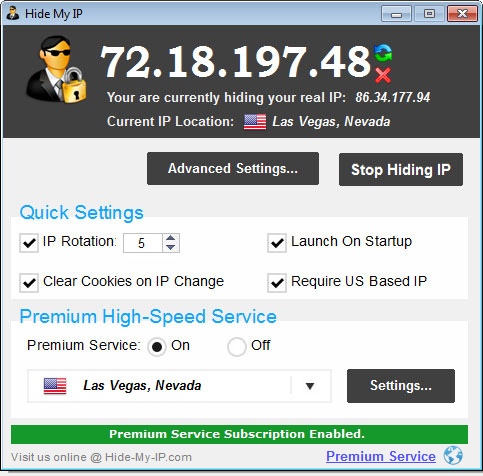
Conceal your online identity with the click of a button. Surf anonymously, encrypt your Internet traffic, hide your IP while surfing the Internet, using forums, sending E-mails, instant messaging, playing games, and more. Compatible with all web browsers and Internet applications. Hiding your IP address is as simple as clicking the "Hide My IP" button, which automatically configures your web browser or other application to use a proxy server from our private proxy network. Change your IP address automatically every few minutes and unblock sites like Netflix, Pandora, BBC, and Hulu based on your IP location. Select from hundreds of our secure private network VPN IPs from all over the world. Hide My IP 6.0 support 256-bit SSL total traffic encryption for the most secure Internet usage. Select from thousand of fast IPs based in the United States, Canada, the United Kingdom, Europe, Australia, and Asia. Supports browsers such as Internet Explorer, Edge, Firefox, Google Chrome, Opera, Safari, Netscape, and applications including Windows Mail, Skype, Windows Messenger, ICQ, and thousands of other programs! Download the free trial of Hide My IP now and protect your right to online privacy.
About Hide My IP
This program is available in English. It was last updated on 29 September, 2026. Hide My IP is compatible with the following operating systems: Windows.
The company that develops Hide My IP is My Privacy Tools, Inc.. The latest version released by its developer is 6.0.450. This version was rated by 7 users of our site and has an average rating of 2.1.
The download we have available for Hide My IP has a file size of 2.1 MB. Just click the green Download button above to start the downloading process. The program is listed on our website since 2016-02-06 and was downloaded 1,056 times. We have already checked if the download link is safe, however for your own protection we recommend that you scan the downloaded software with your antivirus. Your antivirus may detect the Hide My IP as malware if the download link is broken.
How to install Hide My IP on your Windows device:
- Click on the Download button on our website. This will start the download from the website of the developer.
- Once the Hide My IP is downloaded click on it to start the setup process (assuming you are on a desktop computer).
- When the installation is finished you should be able to see and run the program.
Program Details
System requirements
Download information
Pricing
Version History
version 6.0.450
posted on 2016-02-06
Offering 94 proxy IP locations, translated to 26 languages.
version 1.9
posted on 2007-01-09
Version 1.9 includes support for our anonymous private network IPs, faster IP searching, an updated GUI, and minor bug fixes.
